
In this theme we used the shortcodes map feature of Visual Composer to insert some of shortcodes like Brand Logos, Latest Posts, Testimonials. WooCommerce shortcodes are available in Visual Composer.
Click on plus icon to add an element, select element (ex: Featured products), enter options then click on Save changes
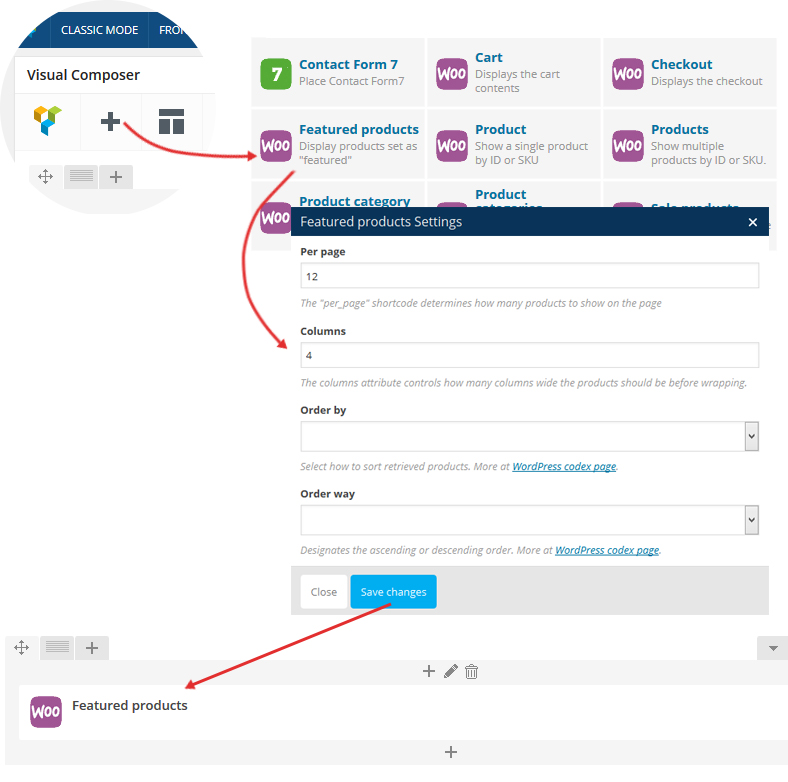
Do the same for other shortcodes


